Today's focus
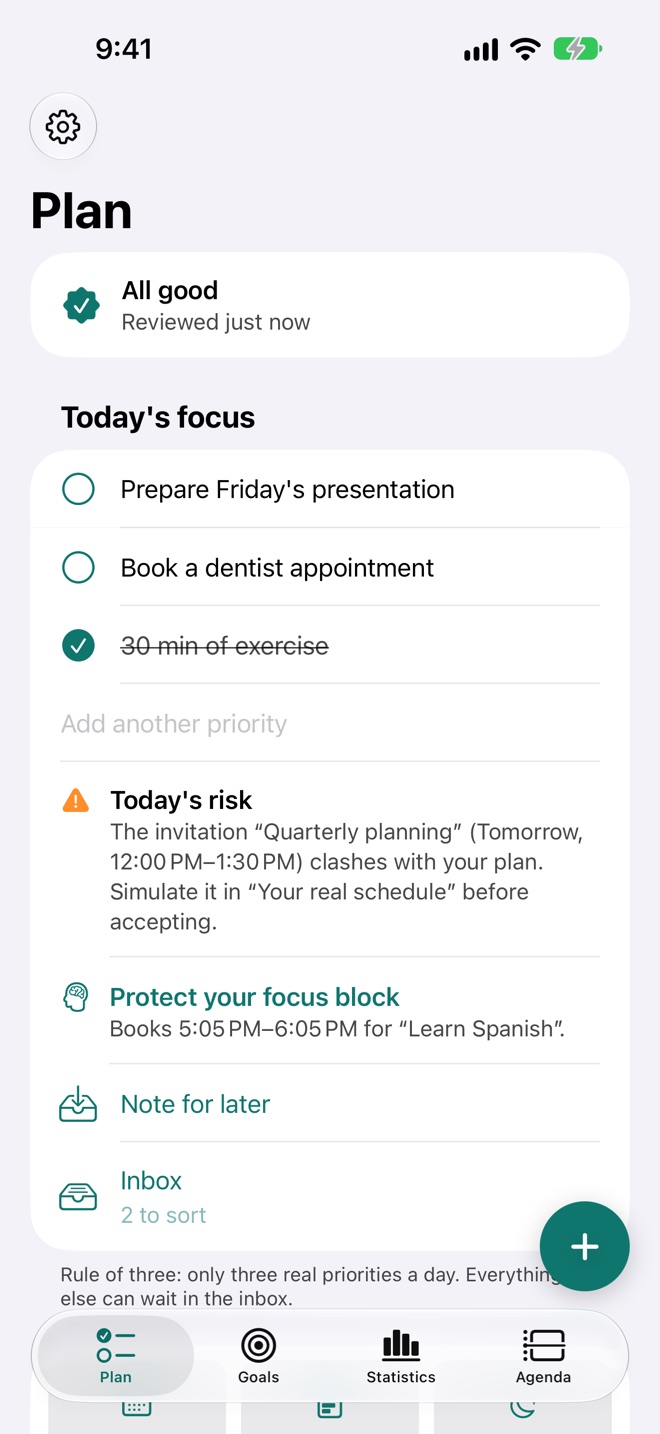
The rule of three: only three real priorities a day. When a fourth shows up, you choose: replace one, move it to tomorrow or keep it in the inbox. Every morning, one risk and one high-impact action.
For iPhone · iOS 27
TimeCloser finds the free time in your week, books sessions for what really matters and moves them when your schedule changes. You decide; it makes sure it happens.
Not another to-do list: time that is booked, defended and measured honestly.
The rule of three: only three real priorities a day. When a fourth shows up, you choose: replace one, move it to tomorrow or keep it in the inbox. Every morning, one risk and one high-impact action.
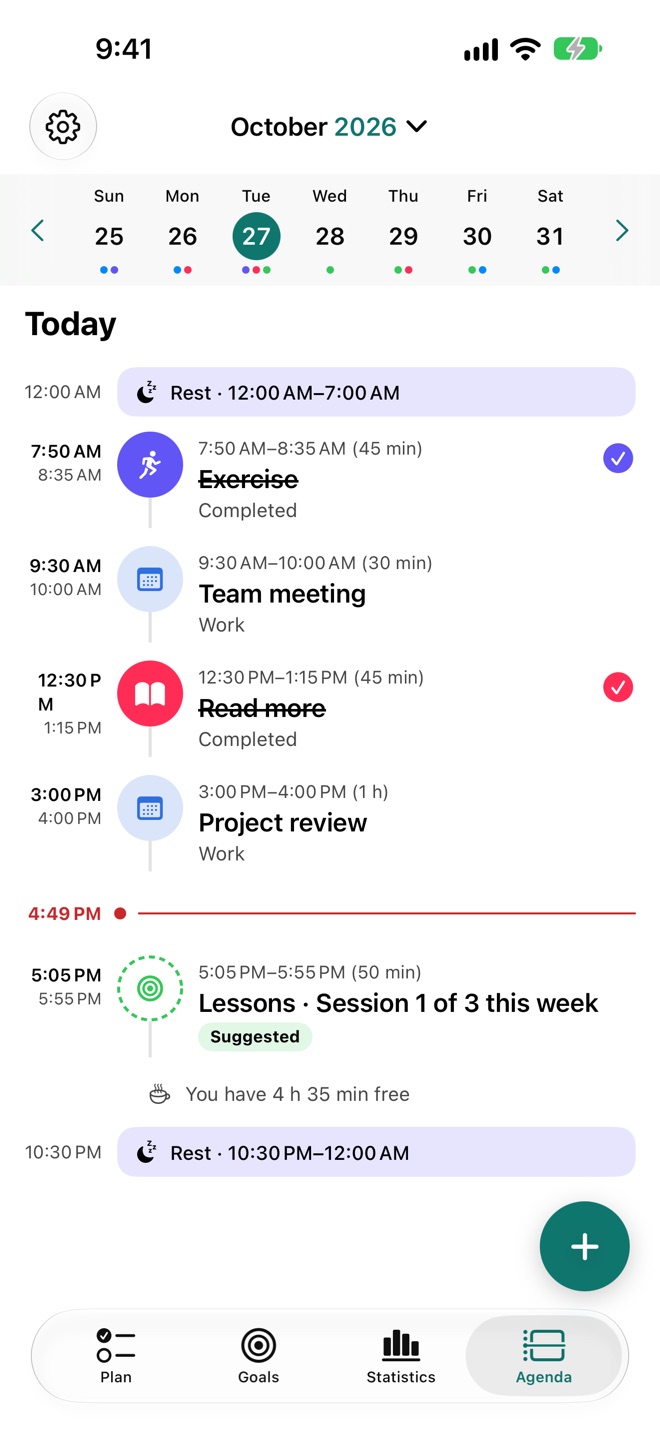
Your goals become sessions inside your hours, never over commitments or your sleep. If someone books a meeting on top, TimeCloser offers another slot (or moves it for you, if you allow it).
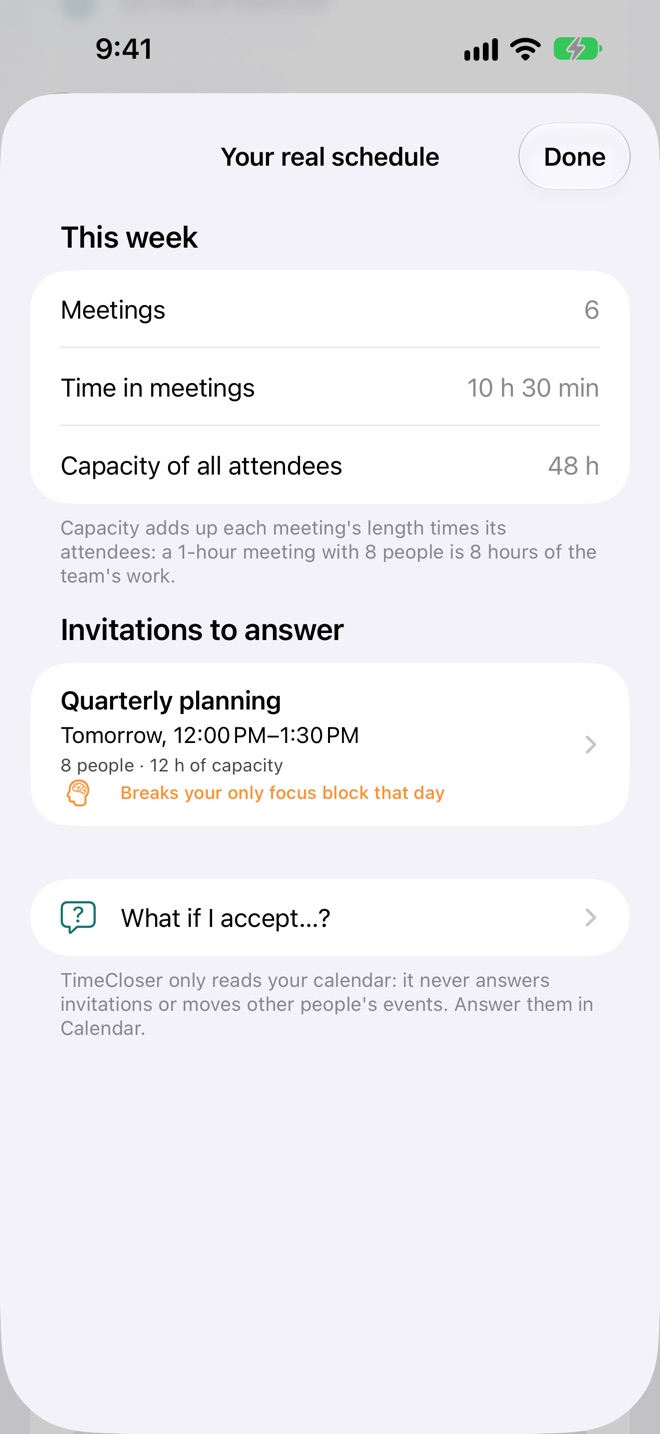
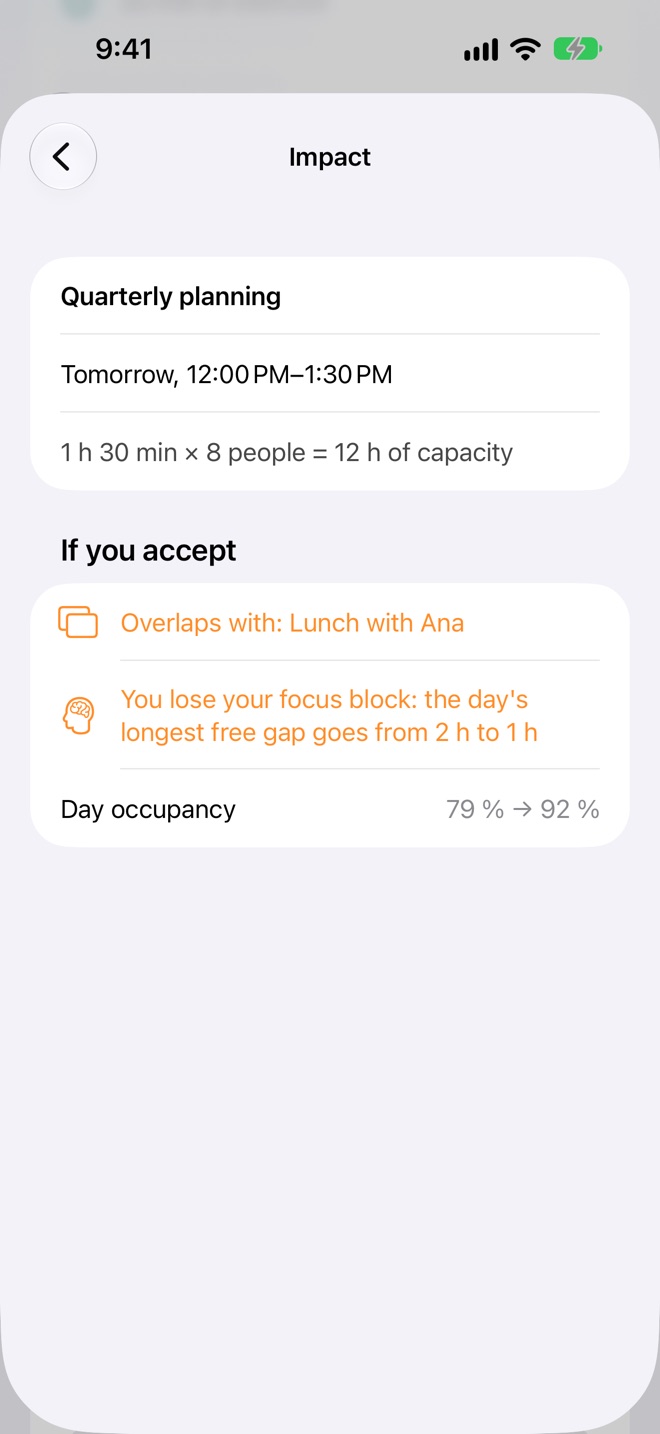
How much time and team capacity go into meetings, which invitations break your focus block and which days are fragmented. And before accepting: “What if I accept?”.
Dated goals made of parts: hours per week, times per week or a total count. See whether you are on pace and, if you fall behind, get a recovery plan with concrete slots.
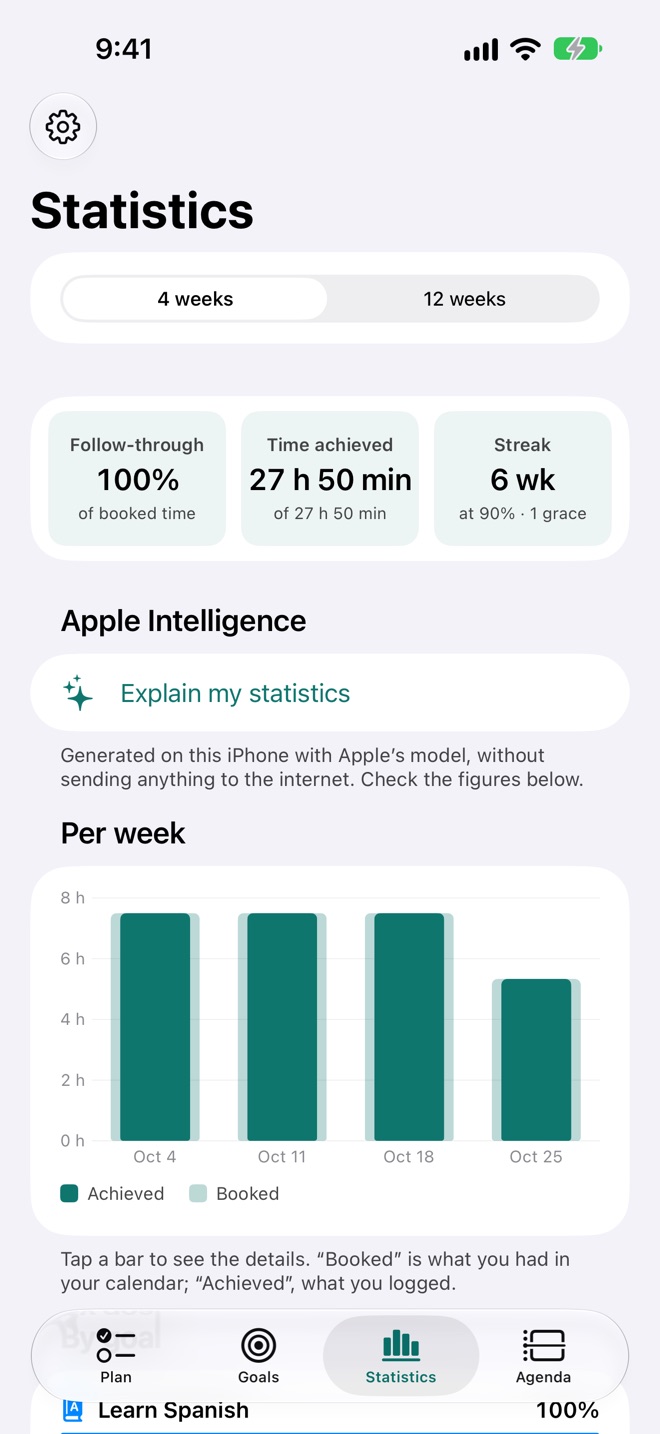
Statistics computed on your iPhone: your pace, your best time of day and the patterns that cost you time, each with one concrete change. Weekly streaks with grace weeks.
With Health (optional, read-only), a short night means a lighter plan and demanding work goes to your best hours.
Describe a goal in your own words and TimeCloser builds it; it breaks big goals down and sorts your notes. All with the model running on your iPhone.
“What do I have today in TimeCloser”, “I have free time in TimeCloser”, “Make a note in TimeCloser”. Nothing is booked without your confirmation.
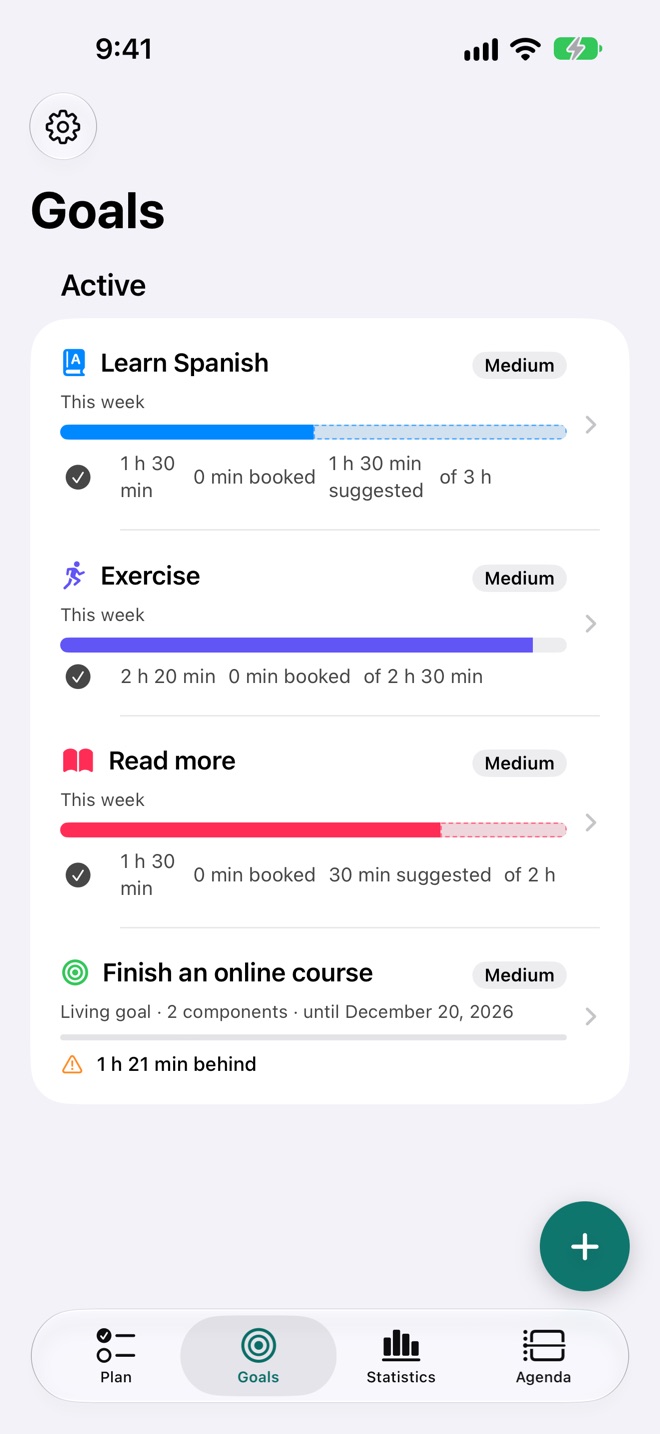
From templates, from scratch or in your own words: “learn Spanish 3 hours a week, in the mornings”.
TimeCloser suggests sessions in your free time. Review them and they land in your calendar.
When a session ends, one tap to say how it went. The plan adapts and your progress is real.
TimeCloser has no servers, accounts, ads or analytics. Your goals, sessions and statistics stay on your iPhone, and it only changes the calendar events it creates itself.
Read the privacy policyStart free. Try TimeCloser Pro free for a month.
USD 0
USD 1.99/month
or USD 14.99/year · 1 month free
The subscription renews automatically and can be cancelled anytime in iPhone Settings. The App Store shows the final price in your currency.
No. TimeCloser has no accounts or servers: everything runs on your iPhone.
The ones already in the iOS Calendar app (iCloud, Google, Exchange or Outlook). It reads your commitments and only creates, moves or deletes the events it booked itself.
No. iOS does not allow it and the decision is yours: TimeCloser shows the impact so you can answer in Calendar.
Any iPhone with iOS 27, including iPhone Duo. Apple Intelligence features need a compatible model (iPhone 15 Pro or later).
Nothing is lost: your oldest active goal keeps being planned and the others wait, with what is already booked left in your calendar.